Fake It 'Til They Break It: A Guide to Honeypots
Fake It 'Til They Break It: A Guide to Honeypots 26 Nov 2026
1. What Is a Honeypot?
A honeypot is a decoy system designed to attract attackers. It mimics a real server or service, but it is completely fake and fully isolated from anything that matters. When an attacker connects and starts poking around, everything they do is logged, from login attempts to the commands they run.
The name comes from the idea of tempting someone with something sweet, only to trap them. Think Winnie the Pooh reaching into the honey pot, except this time the honey fights back.
Honeypots are also one of the oldest deception tools in cybersecurity. One of the earliest and best-known examples comes from The Cuckoo's Egg, where astronomer-turned-sysadmin Clifford Stoll traced an intruder by setting up a fake system for them to explore. It was a primitive honeypot, but it worked: the attacker took the bait, and the trail eventually led to a Soviet-sponsored espionage group.
Since then, honeypots have become far more advanced and are now used for defence, research and even law enforcement operations.
2. Why Use a Honeypot?
Honeypots are more than digital tripwires. They are deception tools, built to look like real servers or services, complete with fake files, directories and sometimes even simulated vulnerabilities. Attackers think they have struck gold, when really you are the one watching them.
The main benefits are:
Detecting and monitoring real-world attacker behaviour. You see what people actually do, not what you assume they do. Collecting threat intelligence without exposing real systems. Nothing of value is ever at risk. Deception. Mislead attackers with fake data and waste their time. Finding gaps in your existing security. If your SIEM does not notice someone digging around your honeypot, something is missing from your detection. You can also take the idea further with a honeynet: a network of honeypots working together to simulate a whole environment, with fake databases, user accounts and internal services. It creates a realistic playground that keeps attackers busy and draws them away from real assets.
3. Flavours of Deception: Types of Honeypots
The type of honeypot you choose depends on your goals and your appetite for risk. They can be grouped by purpose and by level of interaction.
By purpose Production honeypots mimic live systems inside a real network. They might pose as another employee's laptop or a database server, distracting intruders and alerting you to lateral movement in real time. They are usually integrated into existing defences such as IDS/IPS systems.
Research honeypots are set up purely to gather threat intelligence. They are often deliberately left vulnerable and placed on the internet to see what turns up. They are a goldmine for malware samples, brute-force attempts and insight into attacker geography and tooling, and are typically used in labs or by security researchers.
By interaction level Pure honeypots are entire fake systems where everything is logged. They are rare, usually custom-built, and have no use beyond data collection.
High-interaction honeypots are fully functional systems with a real operating system and real services. They give the most detailed insight into attacker techniques, but need strong isolation (VMs, snapshots and so on) because the risk is higher.
Low-interaction honeypots simulate specific services or protocols, such as SSH or FTP. They are easy to deploy and low risk, and visibility is limited, but they are great at catching mass scans and bots.
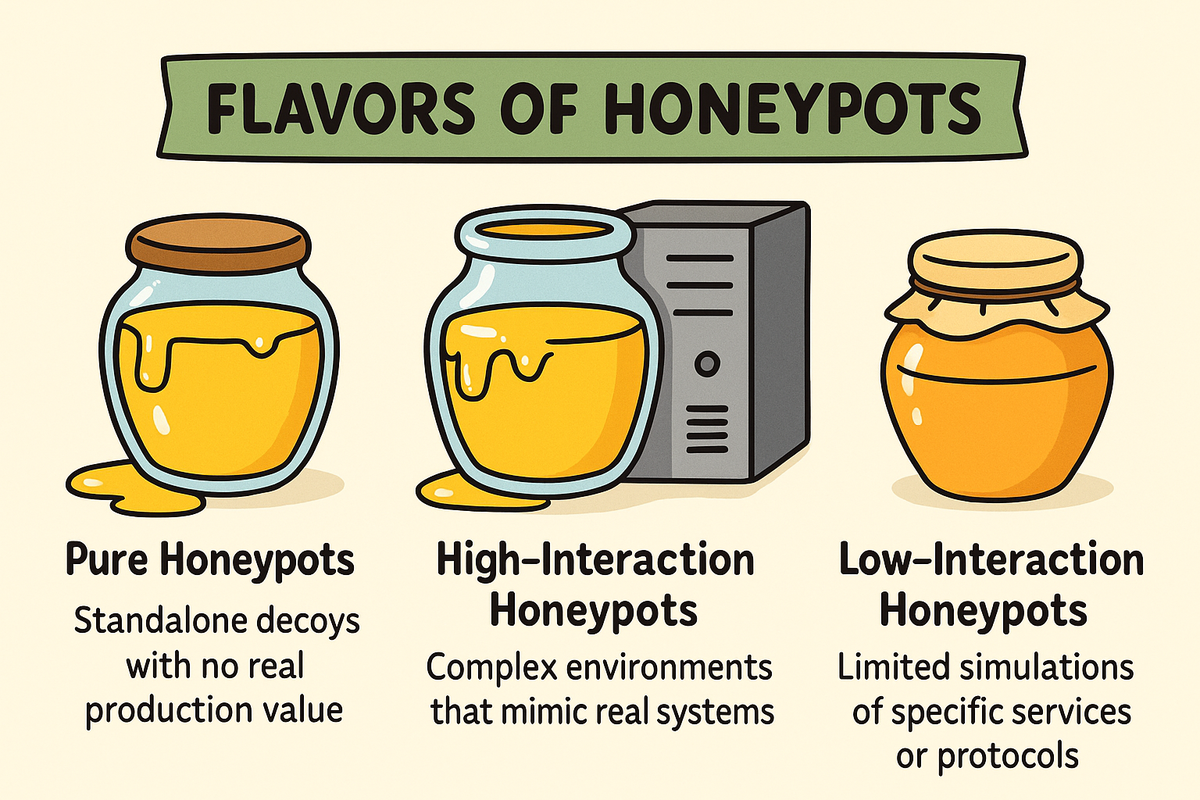
Think of it like fishing: the more realistic your bait, the bigger the fish, but also the bigger the risk. The trick is balancing realism with containment.
4. The Setup
For this experiment I deployed Cowrie, a medium-interaction SSH and Telnet honeypot designed to look tempting to attackers. My approach was deliberately minimal:
No real services or files. I did not add any custom content. The system was left completely empty, exactly as it comes out of the box.
Isolated virtual machine. Everything ran inside a VM with no connection to my real network or any production systems.
I mapped Port 2222 so the honeypot appeared as an open SSH service, a common entry point that attackers scan for.
I allowed logins with intentionally weak-looking credentials such as root:!root to increase the chances that someone would bite.
Cowrie recorded everything: login attempts, commands typed and source IP addresses. Once an attacker "logs in", Cowrie gives them the illusion of success without any real access. Even though there was nothing to steal, that illusion was enough to capture useful behaviour and techniques.
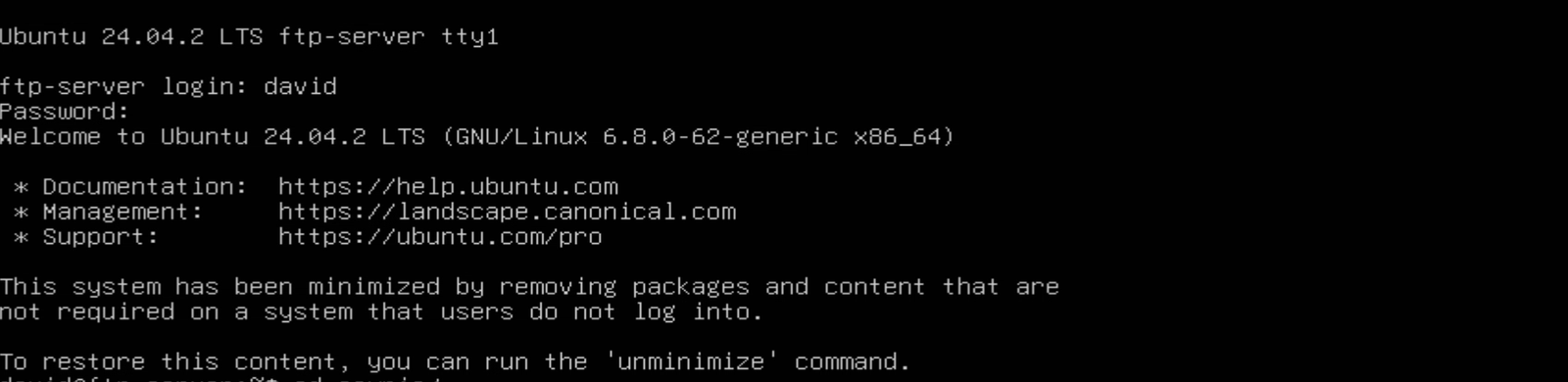
Starting Cowrie on the isolated VM:
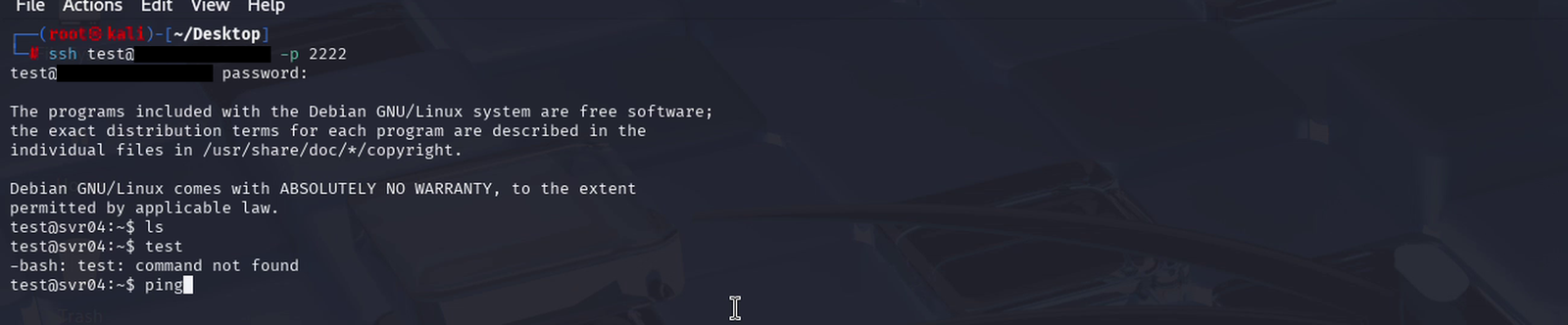
To check everything worked, I connected to the honeypot from a Kali VM using a throwaway test account on port 2222. Cowrie let me straight in to a convincing-looking shell, where I ran a few commands (ls, test and ping) to see what would be recorded.
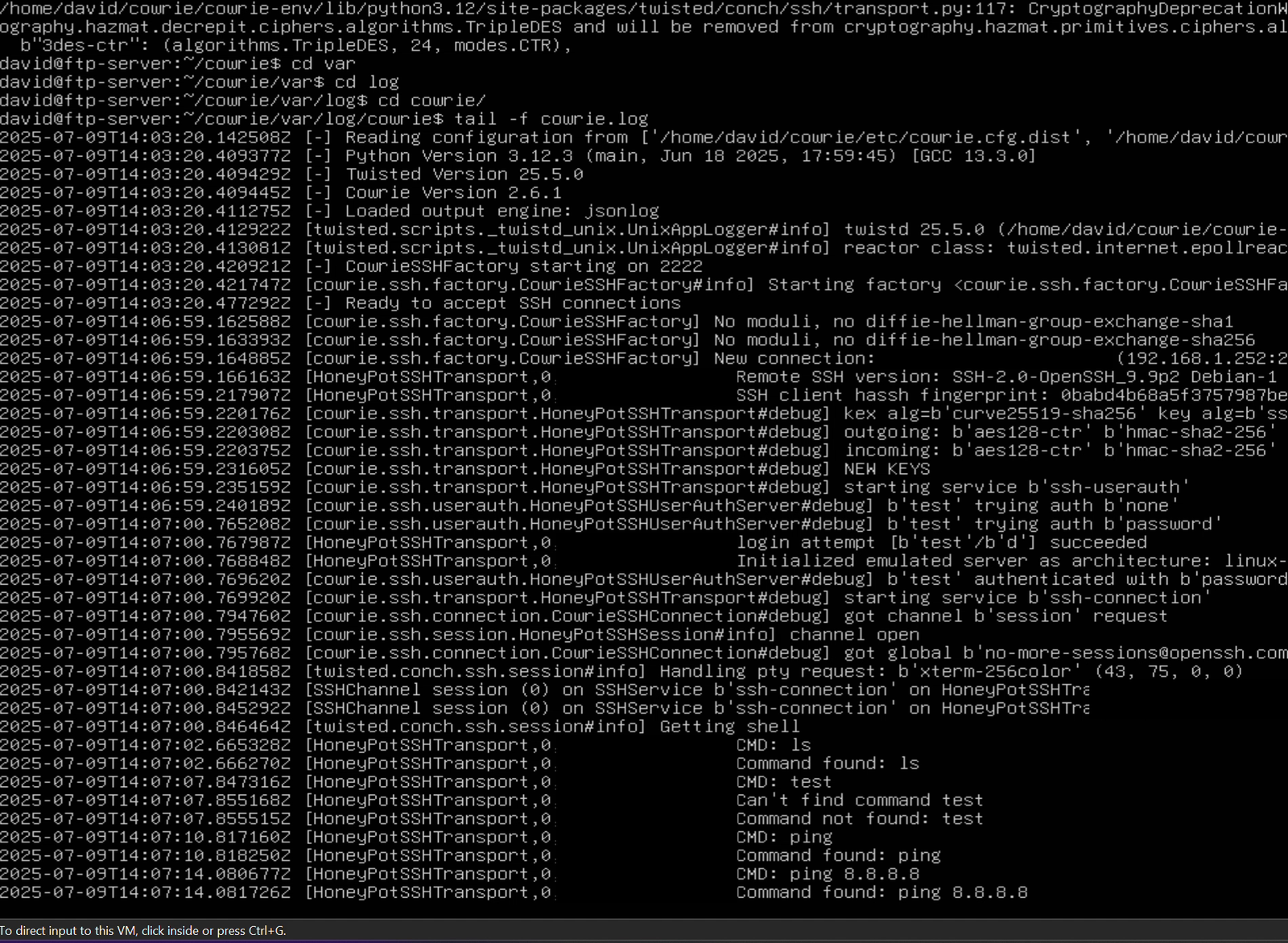
On the honeypot side, tail -f cowrie.log shows the whole session as it happens: the new connection, the SSH client fingerprint, the login attempt that "succeeded", and every command typed afterwards, including the ones Cowrie could not find. (I have redacted the source IP address.)
5. What Did We Catch?
Across the periods the honeypot was left running, 17 external IP addresses interacted with it. They originated from 13 cities across 11 countries, with the top locations being London, Beijing, Amsterdam, Mountain View and Hangzhou.
Many of the addresses were linked to cloud providers and well-known scanning services, including Cloudflare, Google, Amazon and Censys. The overall mix looked like a combination of:
Legitimate scans from research and scanning services Possible spoofed IP addresses Bot activity It is very likely that most of this traffic was automated. Think bots, scanners and reconnaissance tools rather than targeted, hands-on-keyboard hacking. Even so, it proves the honeypot was reachable, believable and logging meaningful interactions.
6. Usernames and Passwords
This is where the patterns get really clear. In the talk I asked the audience to guess the top credentials before revealing the results, so before you read on, think like a lazy attacker: what would you try against a random exposed SSH service?
The most common username by a distance was root, with 61 attempts. Other popular choices included admin, test, lenovo, dell and ubuntu. Passwords
The top passwords were 123456, 123123, password, P@ssw0rd and the blank password. I also saw brand-based combinations such as dell@123, lenovo123 and oracle123.
7. What Can This Tell Us?
Even from a small, short-lived honeypot, a few things stand out:
Default and weak credentials are still the first thing attackers try. root, admin and 123456 remain the go-to guesses.
The activity is automated. The login attempts show the hallmarks of scripts and tools spraying default or weak credentials at scale.
Attackers target known vendors and services. The spread of usernames, from lenovo, dell and ubuntu to postgres and hadoop, suggests automated scripts aimed at a wide range of known devices and software, each with its own default account.
It is a mix of actors. Botnets, scanners and opportunistic attackers were all trying their luck. Nothing is too small to be noticed. This honeypot had no real value whatsoever and still got hit, which shows how noisy and opportunistic the internet is. If something is exposed and misconfigured, it will be tested.
The practical takeaways are simple: avoid common passwords, change default credentials, and disable accounts you do not use. Automation makes brute-forcing cheap, so low-hanging fruit does not stay on the tree for long.
8. Limitations and Gotchas
Honeypots are not magic, and it is worth being honest about their limits:
They only see what is thrown at them. A honeypot will not stop an attacker or reveal everything happening across your network. Not every attacker interacts. Many avoid unknown IPs or unresponsive hosts. They can be detected. A seasoned attacker may realise it is a trap and walk away, or feed you misleading activity. They need careful placement and maintenance to stay relevant and believable. They work best as canaries in the coal mine: a cheap way to gain insight and early warning, but never your only line of defence.
9. Conclusion
A small, empty honeypot running in an isolated VM was enough to attract automated scanning, brute-forcing and reconnaissance from around the world within a short time. It showed that weak and default credentials are still very much in play, and that attackers will try their luck against anything exposed to the internet.
Honeypots will not replace your other security controls, but they are a low-cost, low-risk way to learn how attackers behave and to test whether your detection would notice them.
If you have run a honeypot of your own, or spotted some strange traffic in your logs, I would love to hear about it. Get in touch via the contact page.